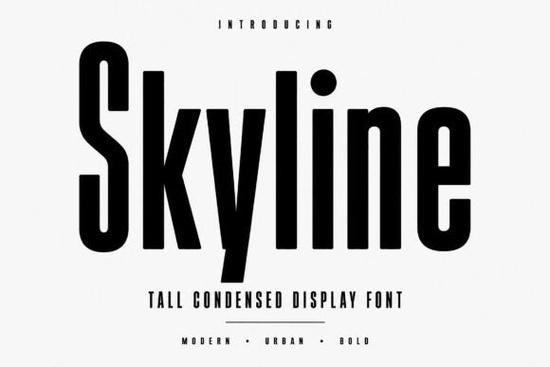
If you need a typeface that commands attention without taking up horizontal space, Skyline font is worth a serious look. It's a tall, condensed display typeface with clean geometric lines and a distinctly urban feel. For designers working on branding, editorial layouts, or social media graphics, this font delivers bold presence in a narrow footprint.
What Makes a Condensed Display Font So Useful?
Condensed fonts solve a real design problem. When you have a lot of text to fit into a tight space like a magazine cover, a poster headline, or a product label a wide typeface can force awkward line breaks or tiny font sizes. Skyline's narrow proportions let you stack words vertically and keep them readable at scale.
Its geometric structure also means it pairs well with body text fonts. You get that strong, modern headline feel without competing with the rest of your layout. Think of it as the font equivalent of a sharp suit clean, confident, and professional.
Where Does Skyline Work Best?
This font shines in projects where you want to make a strong visual statement. Here are some common uses:
- Logo design Its tall, narrow letterforms create distinctive wordmarks that stand out from competitors.
- Fashion and streetwear branding The urban-inspired style fits naturally with apparel and merchandise designs.
- Posters and flyers Big headlines need a font that reads well at large sizes, and Skyline handles that well.
- Magazine covers and editorial layouts Condensed display fonts are a staple in editorial design for a reason.
- Packaging design Narrow labels and product packaging benefit from fonts that maximize vertical space.
- Social media graphics Bold, clean type looks good on screens, especially for Instagram posts and stories.
- T-shirt and merchandise designs Its confident presence translates well to print-on-demand products.
What Comes with the Font File?
Skyline includes both uppercase and lowercase letters, numbers, punctuation, and symbols. It's PUA encoded, which means you can access all characters easily even in design software that doesn't always play nice with OpenType features. Installation is straightforward, and the font works on both Windows and Mac.
If you also work with display fonts in different styles, you might want to check out this retro-inspired American display typeface for projects that need a vintage edge, or explore a rounded slab serif option when you want something friendlier and more approachable.
How Does It Compare to Other Display Fonts?
Skyline sits in a specific niche: modern, urban, condensed. It's not trying to be a handwritten font or a decorative script. It does one thing well bold, tall, geometric display type and it does it with confidence.
For contrast, if you're working on a kids' project or something playful, a hand-drawn crayon style would be a better fit. And if you're designing for a horror theme or a Halloween event, a spooky display typeface makes more sense. For groovy retro vibes, the Sugar Groovy typeface offers a fun alternative. Matching the font style to the project mood is half the design battle.
Is Skyline a Good Choice for Print-on-Demand Sellers?
Absolutely. If you sell t-shirts, mugs, posters, or other print-on-demand products, having a few reliable display fonts in your toolkit saves time and improves results. Skyline works well for streetwear-style designs, motivational quotes, event merchandise, and bold typographic layouts.
Since it's a display font, it's not meant for long paragraphs of body text. Use it for headlines, titles, and short phrases where you want maximum impact. Pair it with a simple sans-serif or serif body font for a complete design.
Quick Checklist Before You Buy
- Check your use case Do you need a bold, condensed display font for headlines and branding? If yes, Skyline fits.
- Verify software compatibility It works with most standard design tools, but confirm it supports your workflow.
- Think about pairing Decide what body font you'll use alongside it before starting your project.
- Test it at the right size Display fonts like this look best at larger sizes. Don't judge it at 12pt.
- Check the license Make sure the license covers your intended use, especially for commercial projects.
Tip: Create a few quick mockups before committing to a font in a client project. A 10-minute test can save hours of revisions later.
Try It Free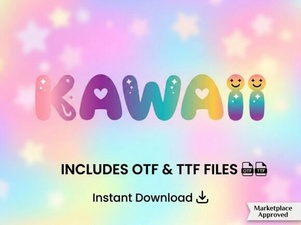 Discover Adorable Kawaii Fonts for Creative Design Projects
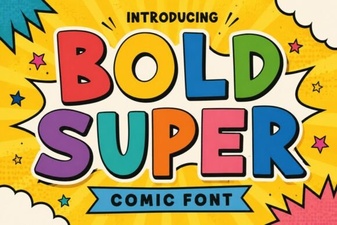 Bold Super Font: Eye-Catching Typography for Modern Designs
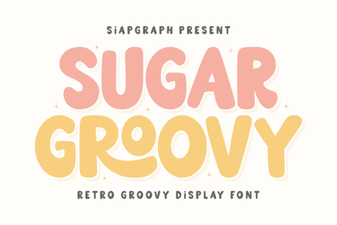 Sugar Groovy Font – Fun and Playful Display Typeface for Creative Projects
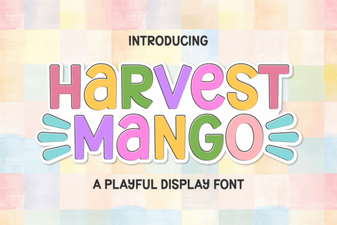 Harvest Mango Font: Creative Uses for Designers
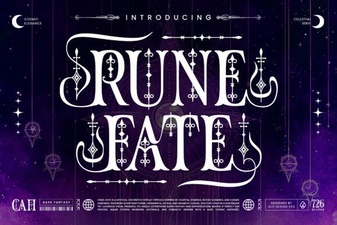 Rune Fate Font – Mystical Display Typeface for Fantasy and Ancient Designs
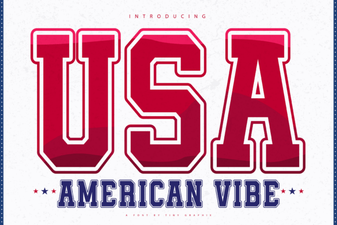 American Vibe Font - Bold Display Typeface for Creative Designs